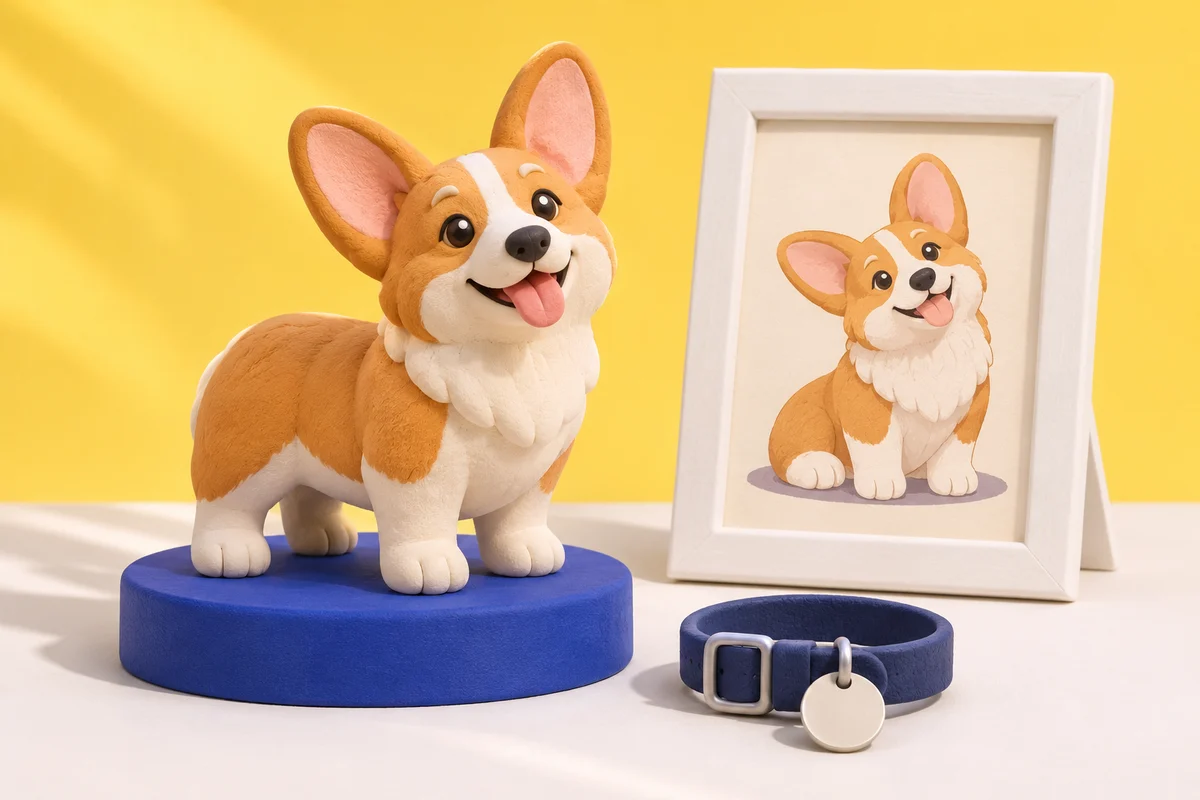
Custom pet figurines use your photos as the reference for a miniature dog, cat or other animal. A useful starting point is one clear image that shows the face, coat markings and pose you want. Choose the overall look before focusing on small details, and review the design preview without expecting an exact copy of the photograph.
The best reference is not always your favorite action shot. A quiet photo with visible ears and paws may explain your pet better than a blurry picture of a wonderful moment.
Choose the look you want to keep
A stylized pet figure and a realistic portrait sculpture aim for different results. Look at examples for the proportions and expression you like. A rounded, playful design can make the face easier to read while simplifying fur and body shape. Decide whether that interpretation suits you before sending a reference.
For custom dog figurines, avoid relying on the breed name alone. Two dogs of the same breed can have different ear positions, muzzle shapes and markings. For cats, a particular chest patch or tail position may be more recognizable than a description such as “tabby.”
A photo checklist for your pet
| Detail | What to show | What to explain in a note |
|---|---|---|
| Face | Eyes and muzzle in focus | The expression you want to keep |
| Ears | Both ears with their natural position visible | If one ear usually folds or sits differently |
| Coat | Even light that shows the main colors | Important patches hidden by the pose |
| Body | The paws, tail and overall posture | Which pose should guide the figure |
| Collar | A clear view if it belongs in the design | Whether to include or leave it out |
Avoid heavy filters that change coat color. Check the original image rather than a small social-media thumbnail. If the eyes disappear into a dark coat or a window washes out the fur, look for another photo with more even light. Our reference-photo guide explains the same checks for people and pets.
Pick one pose, then describe the missing details
Choose sitting, standing or another pose you can show clearly. A photo taken directly above a dog may hide its legs; one taken through furniture may hide a cat’s tail. A simpler reference can be easier to explain than asking the designer to reconstruct several unseen parts.
If the form or team accepts extra references, use them to clarify the same animal. Say which image controls the pose and which shows the markings. Do not leave that decision to guesswork, especially if the photos show different haircuts, collars or ages. See the figure-pose guide for ways to keep a composition readable.
A useful request might be: “Use the seated pose in the main photo. Keep the white chest patch and folded left ear. Leave out the lead.” This gives a short set of priorities without asking for every strand of fur to be reproduced.
Review the preview as a design
Compare the preview with your reference, rather than judging only whether the image looks appealing. Check these points before confirming:
- Is the correct animal shown, with the right coat colors?
- Are the ears, muzzle and tail recognizable?
- Does the pose match the one you requested?
- Are important markings in the right place?
- Are any unwanted collars, props or extra subjects present?
An AI preview is a digital image, not a photograph of a finished order. Fine details and appearance can differ in a physical figure. Ask about any feature you consider essential before committing to the purchase.
Starting through Image2Figure
The standard options include one pet or one person with one pet. Browse the subject examples, then use the custom figure page to continue to Custom3DFigure. Upload your reference there and leave your email address for an AI design preview. You can then review the design, available sizes and final price before ordering a physical figure.
For two pets, a larger group or another combination, contact the team first. Do not assume that an example shown elsewhere is a standard option here.
If it is a memorial gift
Ask whether the recipient would welcome a figure before arranging a surprise. They may prefer a pet’s younger appearance, a particular expression or a simple framed photo instead. Let their preference guide the reference and timing; a custom object does not need to carry promises about how someone will feel.
Common questions
Can I use an older photo?
Start with the clearest original file you have. Explain any detail it does not show, and ask the team whether the reference is sufficient before ordering.
Will the figure look exactly like my dog or cat?
No exact likeness should be assumed. The design is a stylized interpretation. Use the preview to assess whether the features that matter to you are represented.
Does the preview include the physical figure?
No. The preview is a digital design image. A physical figure is a separate purchase after you review the available choices.